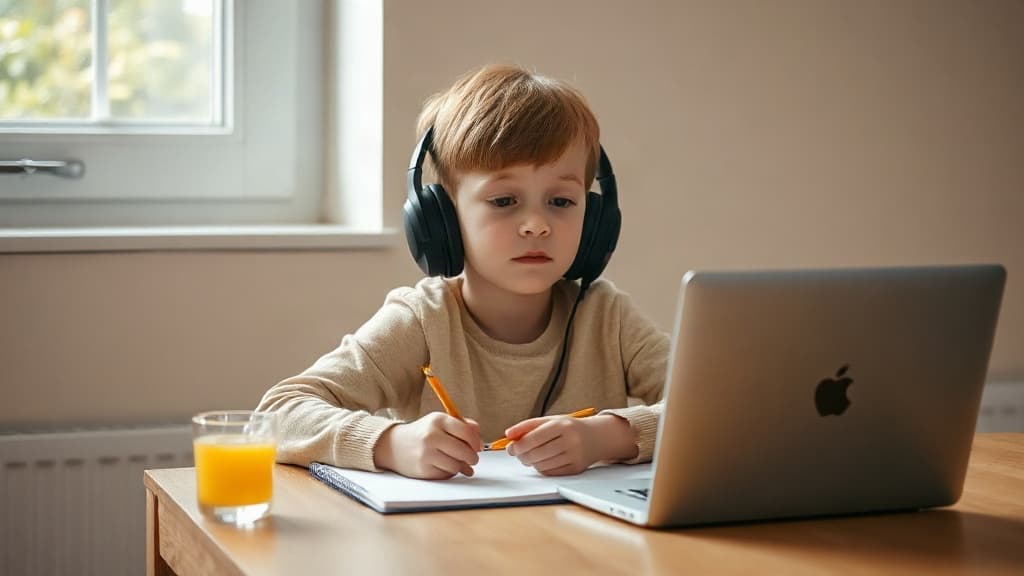
Safe music playlists for kids transform everyday moments into stress-free, age-appropriate experiences. Whether your child is doing homework, heading to sports practice, or winding down before bed, the right playlist matters. Music sets the mood, but it also needs to be free from explicit content, mature themes, and unexpected surprises that can derail parenting on the spot.
This guide walks you through practical, tested playlists for every routine activity kids encounter, and how to build your own when you need something specific.
Focus music works best when it stays calm and unobtrusive. Songs with lyrics can distract younger kids; instrumental versions and lo-fi beats perform better. Safe study playlists should avoid anything with heavy bass drops, sudden volume changes, or intense lyrics that pull attention away from the task.
Look for playlists labeled "lo-fi hip hop," "ambient," or "study beats." Spotify and YouTube Music both feature curated collections, though not all are vetted for explicit content hidden in metadata. Using a tool that scans lyrics before playback prevents one unexpected line from breaking concentration and trust.
Kids need energy during physical activity. Upbeat pop, clean hip hop, and dance tracks motivate without overwhelming. Avoid songs with aggressive themes, substance references, or sexually explicit content that becomes more obvious at faster tempos.
Sports playlists should include songs with clear, positive messaging: teamwork, confidence, perseverance. Checking individual track lyrics before adding them to a shared playlist takes time, but tools that flag content by category-profanity, violence, sexual references, substance use-help you say yes or no in seconds rather than minutes.
Calm music supports better sleep. Slow tempos, gentle melodies, and soothing voices help kids transition from daytime energy to rest. Lullaby-style tracks and acoustic covers of popular songs work well, as long as the original song lyrics don't contain mature themes.
Parents often repurpose adult relaxation music for kids without realizing the lyrics contain references to heartbreak, alcohol, or other adult content. A bedtime playlist curated specifically for children, with each song verified, removes that guesswork and lets everyone sleep easier.
Long car rides need playlists that keep kids entertained without fatigue. Mix upbeat songs, sing-along favorites, and lighter pop tracks. Road-trip playlists tend to run longer, so scanning for explicit content becomes even more important-you want consistency across 50+ songs, not surprises every third track.
Family road-trip playlists often include songs parents grew up with alongside current hits. Older songs sometimes contain dated references or language that felt normal decades ago but doesn't fit today's parenting standards. Verifying each song ensures nostalgia doesn't override what you actually want your kids hearing.
Party playlists set energy and mood for social events. Kids enjoy dancing and singing along to upbeat, recognizable tracks. However, birthday playlists can mix songs from different eras and genres, making content inconsistency more likely. A single explicit track in a 2-hour party playlist can derail the event and create awkward questions.
When hosting events, scanning your playlist beforehand takes 10 minutes and prevents hours of potential awkwardness. If you're using a shared playlist from a streaming service, tools that check entire playlists at once save time and catch songs you might have missed while scrolling.
Custom playlists let you tailor music to your child's age, interests, and your household values. Start with a streaming service's kid-friendly playlist as a base, then add songs your child requests. Before adding any song, check three things: Does the title raise any flags? Does the artist have other content you've already vetted? What does a quick lyric search reveal?
Many parents screenshot or bookmark playlists they've vetted and share them within trusted groups-family, school friends, or activity classes. This approach spreads the verification effort and builds a library you can return to season after season.
Services that scan playlists instantly give you categories per song: profanity, violence, sexual references, substance use, and others. Instead of reading every lyric, you get a color-coded summary and the option to review specific flagged lines. This transparency-seeing exactly why a song was blocked or approved-builds confidence in your filtering choices.
Kids use music on phones, tablets, smart speakers, and streaming devices. A playlist that works on one device may have different content moderation on another. Syncing a verified safe playlist across platforms ensures consistency whether your child is listening in the car, at school, or at home.
Some playlists export to multiple services; others are locked to a single platform. Checking compatibility before building large playlists saves rework. If you build playlists on Spotify, you might want the ability to sync them to YouTube Music or Apple Music for family flexibility.
Playlists are one layer of safety; parental controls are another. Streaming services offer basic age restrictions, but they are often too broad or too permissive for individual families. Pairing a curated safe playlist with customizable content filtering-where you control what categories are and aren't allowed per child-gives you the most control.
This approach combines the proactive safety of a pre-screened playlist with reactive protection from unexpected content. If a song slips through, or if your child finds a new artist, your filters catch problematic categories before playback.
Q: How often should I update my kid's playlists? A: Review playlists every 2-3 months or whenever your child adds new requests. As kids grow and their interests shift, their age-appropriate baseline may change. Adding new songs doesn't require rebuilding everything; just check new additions before adding them.
Q: Can I use the same playlist for multiple kids of different ages? A: It depends on the age gap. A playlist safe for a 7-year-old might bore a 13-year-old or contain themes a 5-year-old isn't ready for. Creating per-child profiles with individual playlists ensures each child gets music that matches their developmental stage and interests.
Q: What if my child finds a song I didn't approve? A: Use it as a conversation starter. Ask why they like it, listen to the full lyrics together, and decide together whether to add it. This builds their media literacy and teaches them to think critically about content.
Q: Are kid-friendly playlist categories on streaming services accurate? A: They're a starting point, not a guarantee. Streaming services use algorithms and manual tagging, both imperfect. Always spot-check songs that will play frequently or around younger siblings.
Q: How do I handle songs with mild language versus explicit content? A: Decide your household threshold first. Some families accept one mild word; others don't. Once you know your standard, tools that categorize by severity help you make consistent calls across playlists.
Q: Can I block specific artists or genres instead of building playlists? A: Yes, but it's less effective. Blocking a genre misses good songs in that category, and blocking artists assumes all their songs have similar content, which isn't always true. Playlists plus filtering by category gives you finer control.
Safe playlists aren't about restriction; they're about confidence. When you know every song in your child's rotation, you can relax while they enjoy music. Start with one activity-homework or bedtime-and build from there. As you develop a habit of checking before adding, the process gets faster and more intuitive.
The goal is to keep music enjoyable and age-appropriate for as long as possible. Tools that show you exactly why a song was approved or blocked help you make faster decisions without feeling paranoid. Your kids deserve music that excites them, and you deserve to know what they're hearing.
Review playlists every 2-3 months or whenever your child adds new requests. As kids grow and their interests shift, their age-appropriate baseline may change. Adding new songs doesn't require rebuilding everything; just check new additions before adding them.
It depends on the age gap. A playlist safe for a 7-year-old might bore a 13-year-old or contain themes a 5-year-old isn't ready for. Creating per-child profiles with individual playlists ensures each child gets music that matches their developmental stage and interests.
Use it as a conversation starter. Ask why they like it, listen to the full lyrics together, and decide together whether to add it. This builds their media literacy and teaches them to think critically about content.
They're a starting point, not a guarantee. Streaming services use algorithms and manual tagging, both imperfect. Always spot-check songs that will play frequently or around younger siblings.
Decide your household threshold first. Some families accept one mild word; others don't. Once you know your standard, tools that categorize by severity help you make consistent calls across playlists.
Yes, but it's less effective. Blocking a genre misses good songs in that category, and blocking artists assumes all their songs have similar content, which isn't always true. Playlists plus filtering by category gives you finer control.